

EvilMailInstant. Anonymous. Disposable.
Free temp mail service — your disposable email is ready
Why EvilMail?
Instant Setup
No registration needed. Get a disposable email in seconds.
100% Anonymous
No personal data collected. Your privacy is guaranteed.
Auto-Delete
Emails automatically vanish after your chosen time.
Multiple Domains
Choose from multiple domains to fit your needs.
What is a Disposable Email Address?
A disposable email — also called a temporary email, throwaway email, or burner mail — is an anonymous, self-destructing inbox you create in seconds without registration. Use it to receive emails, verify accounts, and protect your real address from spam, phishing attempts, and data breaches. When you're done, the address and every message in it vanish permanently.
EvilMail is built for people who value their privacy. Unlike basic throwaway email tools, we offer multiple domain choices, adjustable auto-delete timers from 10 minutes to 24 hours, and a real-time inbox that works exactly like your regular email — minus the identity exposure.
How It Works
Three steps. Zero personal information. Complete privacy.
Generate
Click one button. Your temporary email is ready in under a second — no forms, no verification, no waiting.
Use Anywhere
Sign up for services, verify accounts, or receive confirmations. Your disposable inbox works everywhere a real email does.
Auto-Destruct
When the timer runs out, your inbox and all messages are permanently erased. No archives, no backups, no trace.
When You Need a Temporary Email
From everyday privacy to professional testing — here's why millions choose disposable addresses.
Online Registrations
Sign up for websites, forums, and apps without exposing your primary email to potential spam lists or data breaches.
Software Testing
QA teams and developers use disposable emails to test signup flows, email notifications, and verification systems at scale.
One-Time Verifications
Download a resource, access gated content, or verify an account without committing your real address to another mailing list.
Public Wi-Fi & Captive Portals
Airports, cafés, and hotels often require an email to connect. Use a temporary one instead of handing over your real address to unknown networks.
E-Commerce & Deals
Grab discount codes, check order confirmations, and shop freely — without flooding your personal inbox with promotional emails for years.
Research & Journalism
Create anonymous accounts for investigation, test online services, or protect source communications with completely untraceable email addresses.
Privacy & Security Insights
Practical guides to help you stay safe, anonymous, and in control of your digital footprint.
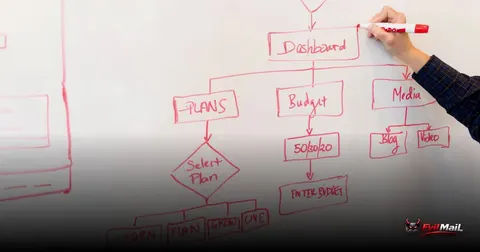
Stopping Abuse at Scale: Inside a Disposable-Email Anti-Abuse Architecture
A free inbox in one click is a gift to spammers and bot farms. Here is the layered architecture — edge filtering, device fingerprinting, a risk-scoring engine and graded challenges — that keeps a disposable-email service clean without punishing real users.
The Anatomy of a One-Time Code: How Email OTP Really Works (and Why It Sometimes Doesn’t)
That six-digit code in your inbox is a tiny, time-boxed secret with a surprising amount of engineering behind it. Here is how email one-time passwords are generated, delivered and verified — why they expire, why they sometimes never arrive, and how to build them well.
The Anatomy of an Email: What Actually Happens When You Hit Send
You hit send. A fraction of a second later, your message appears in someone's inbox across the world. But between those two moments lies one of the most fascinating relay races in all of computing.

Anti-Abuse Controls That Keep an Alias Service Off the Blocklists
The moment you let users receive mail at throwaway addresses and forward it anywhere, you are running an open-ish relay whose reputation is only as good as your worst 100 users. Here is the boundary-first playbook — SRS, ARC, Rspamd rejection thresholds, FBLs, and auto-ejection — that keeps your forwarding IPs out of Spamhaus.

The DPA and Subprocessor List You Actually Need Before You Outsource Email
Wiring up SES or Postmark takes an afternoon. Being able to answer a DPO's "list every subprocessor that touches our data" request takes a DPA and a subprocessor list you treat as versioned config — not a PDF in a drive. Here is what Article 28 actually requires, mapped to the email stack, with the commands to test it.
Encrypting Dovecot Mailboxes at Rest with mail_crypt: Global vs Per-User Keys
LUKS protects nothing on a running mail server — the volume is unlocked 24/7. Dovecot's mail_crypt plugin encrypts the message payloads themselves so the bytes on disk stay ciphertext through backups, snapshots, and RMA'd drives. Here's how to pick between global and per-user keys, wire it without losing data, and migrate a live mailbox with no maintenance window.
Redacting PII From Mail-Server Logs Without Going Blind
Your mail.log is the largest un-audited PII store you run. Here is how to strip identity at the rsyslog layer, pseudonymize with a keyed HMAC, and still debug every delivery — because Postfix already hands you a PII-free correlation key.

KVKK Compliance for Mail Systems Serving Turkish Users
The email address a user types in, and the IPs in your Received: headers and Postfix logs, are personal data under KVKK. That makes any mail operator serving Turkish users a data controller. Here are the three engineering controls — consent, retention, and a 72-hour breach runbook — that actually make you compliant.
Forward and Forget: Architecting a Zero-Retention Email Alias Relay
Most "private" forwarders quietly spool deferred mail to disk and log your subjects, Message-IDs, and recipients for days. Here's how to build an alias relay that provably can't — content transits RAM only, SRS and ARC keep forwarded mail in the inbox, and the only thing on disk is an opaque alias-to-destination row.
Frequently Asked Questions
Is EvilMail free to use?
Yes. Creating temporary email addresses and receiving messages is completely free, with no limits on how many you generate. Premium domains and extended features like API access are available with paid plans.
Can I send emails from a disposable address?
EvilMail is designed for receiving emails only. This prevents misuse while giving you full inbox functionality for verifications, signups, and one-time communications.
How long does a temporary email last?
You choose: 10 minutes, 30 minutes, 1 hour, 6 hours, or 24 hours. When the timer expires, the address and all messages are permanently and irreversibly deleted.
Is my real identity protected?
Absolutely. We require no registration, collect no personal data, and don't log IP addresses. Your temporary email has zero connection to your real identity.
Can websites detect that I'm using a disposable email?
Some services attempt to block known disposable domains. EvilMail offers multiple domain options — including premium domains — to give you the flexibility you need.
What happens to my emails after they expire?
They are permanently deleted from our servers. We don't archive, backup, or retain any message data after expiration. Once gone, it's gone forever.